Contact sales TEL / WhatsApp  +86 18135720426
Weighing Indicators

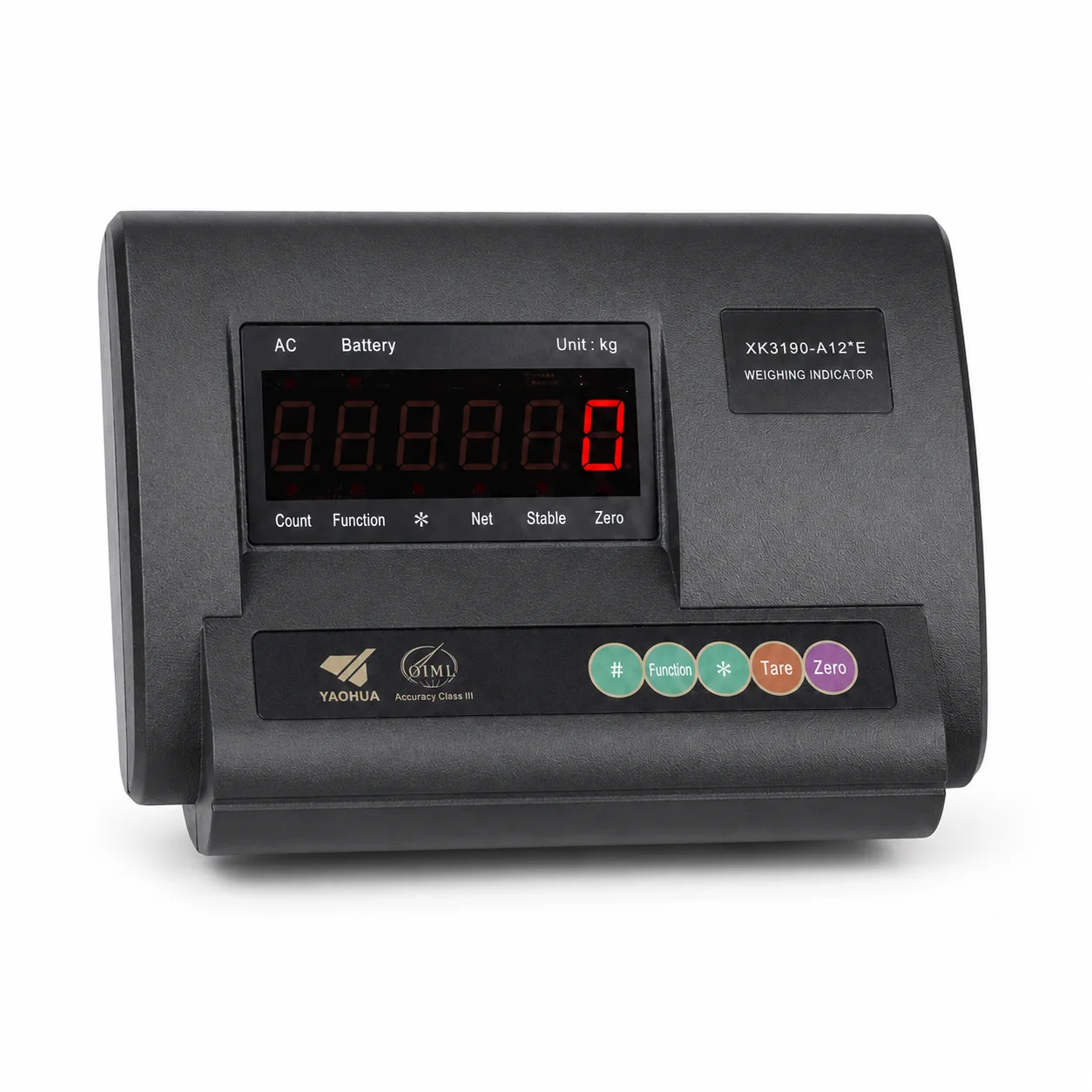
Digital Weighing Indicator with Communication Options

Digital Weighing Indicator with Communication Options — Communication route: RS232, USB or wireless option; exact interface confirmed by model; application fit confirmed during quotation.

Weighing Indicators · Buyer selection route

Digital weighing indicator route with listed RS232, USB or wireless communication options for industrial scale integration.

WhatsApp Us
  • Listed communication options
  • Industrial scale integration route
  • Protocol and interface confirmed by model

Digital Weighing Indicator with Communication Options selection highlights

Listed communication options

Capacity and option guidance

Clear weight display

Application route

System connectivity

Operating workflow

Control integration

Selection checkpoint

PRODUCT SPECIFICATIONS

Product Parameters & Attributes

Use these details to shortlist the product, then request the current model datasheet and quotation for the final configuration.
ParameterSpecification
Communication routeRS232, USB or wireless option; exact interface confirmed by model
Typical scale routesPlatform, floor, bench, pallet, hopper or tank weighing
PRODUCT DESCRIPTION

Product Overview

Provides weight display and controller functions for platform, floor, bench, pallet, hopper or tank weighing systems.

The current product route lists RS232, USB or wireless communication as options; protocol, connector and data format require model confirmation.

Confirm load-cell input, power, mounting, environment and host-system interface before quotation.

Final configuration confirmed in quotation Application support available 1 product image
PRODUCT SELECTION

Communicating weighing indicator

Compare Digital Weighing Indicator with Communication Options as communicating weighing indicator for a defined display, transmission or control role.

What distinguishes this product: Digital Weighing Indicator with Communication Options lists Communication route: RS232, USB or wireless option; exact interface confirmed by model; Typical scale routes: Platform, floor, bench, pallet, hopper or tank weighing.

Check before ordering

Signal, excitation, complete-scale functions, interfaces and any approval scope remain exact-model questions.

CONFIGURATION CHECKLIST

Specification & Compatibility Checklist

Use this checklist to prepare the equipment and application information needed to match Digital Weighing Indicator with Communication Options to your project.

Product-specific focus: the required RS232, USB or wireless communication route and its commissioning test.

Selection checkpointInformation to confirm before order
Primary application dataModel and application
Mechanical compatibilityDimensions and mounting
Load and operating envelopeSignal and power
Measurement workflowEnvironment
Site and integration conditionsQuantity and lead time
Verification and responsibilityCompatibility evidence

Related Products

Continue browsing the catalog or open a quick inquiry.

Questions About Digital Weighing Indicator with Communication Options

Answers identify the model-specific checks required before Digital Weighing Indicator with Communication Options is selected.

What does Digital Weighing Indicator with Communication Options do?

It processes a compatible sensor signal and provides display, control or data functions according to the selected model and complete instrument design. Key selection details include Communication route: RS232, USB or wireless option; exact interface confirmed by model; Typical scale routes: Platform, floor, bench, pallet, hopper or tank weighing. Final selection still depends on the required RS232, USB or wireless communication route and its commissioning test.

How do I check whether Digital Weighing Indicator with Communication Options is compatible with my equipment?

List the load-cell signal, power, display function, relays, printer and required RS232, RS485, USB, Ethernet or wireless interface. For this listing, the current communication route is RS232, USB or wireless option; exact interface confirmed by model; also pay particular attention to the required RS232, USB or wireless communication route and its commissioning test.

How should Digital Weighing Indicator with Communication Options be calibrated and checked?

Verify the complete instrument with its connected load cells, wiring, settings, functions and a suitable load reference. Record the selected configuration, the communication route (RS232, USB or wireless option; exact interface confirmed by model), the required RS232, USB or wireless communication route and its commissioning test and the test results for future service and verification.

Which technical documents should I review for Digital Weighing Indicator with Communication Options?

Review the terminal drawing, wiring, function manual and communication protocol. Match every file to the quoted Digital Weighing Indicator with Communication Options model and revision, and verify that the communication route (RS232, USB or wireless option; exact interface confirmed by model) and the required RS232, USB or wireless communication route and its commissioning test agree with the ordered configuration.

Can Digital Weighing Indicator with Communication Options be used for trade or enforcement?

Not from this page alone. An indicator approval alone does not approve the complete weighing instrument. The listed communication route (RS232, USB or wireless option; exact interface confirmed by model) does not establish certificate scope, local verification or acceptance for the required RS232, USB or wireless communication route and its commissioning test.

MODEL-SPECIFIC INQUIRY

Confirm the Digital Weighing Indicator with Communication Options Configuration

Share the application, capacity, quantity, equipment and destination country for Digital Weighing Indicator with Communication Options. We will compare those conditions with the available Weighing Indicators options and explain the remaining fit and document requirements.

B2B PROJECT INQUIRY

Product Inquiry

Start with Digital Weighing Indicator with Communication Options and one key operating requirement.

  • No account required
  • Model-specific review
  • Tel / WhatsApp optional
Contact