
General industrial weight display
Start here when the scale needs local weight indication and common functions for platform, floor, bench, pallet, hopper or tank weighing.
Open product pageStart with the weighing task, not the front-panel appearance
Choose a weighing indicator by the job it must perform: show a stable weight, transmit a load-cell result, run a packing or batching sequence, or exchange verified data with a PLC or business system. FMSCales compares the sensor input, power, display, I/O, communication and application requirements before confirming an exact model and quotation.
This range is for industrial weighing distributors, scale-service companies, panel builders, system integrators and equipment OEMs comparing display, transmission and control routes. It helps buyers shortlist the right instrument role, prepare a useful enquiry and review model-level specifications, interfaces and configuration details before requesting a quotation.
FMSCales confirms the exact model, electrical interfaces, software role, documentation and quantity in the quotation. A communication label alone does not establish compatibility with a PLC or host system.
Weighing Indicators: Open a product page for model-specific specifications, images and configuration details.
Start here when the scale needs local weight indication and common functions for platform, floor, bench, pallet, hopper or tank weighing.
Open product pageReview this route when the project needs a local display plus a listed RS232, USB or wireless option; the exact interface remains model-specific.
Open product pageUse a transmitter route when load-cell signal processing belongs inside a control cabinet and the weight value is consumed by another device or system.
Open product pageCompare controller records when the instrument must coordinate hopper, feeder, gate, bagging or batch steps through a defined I/O sequence.
Open product page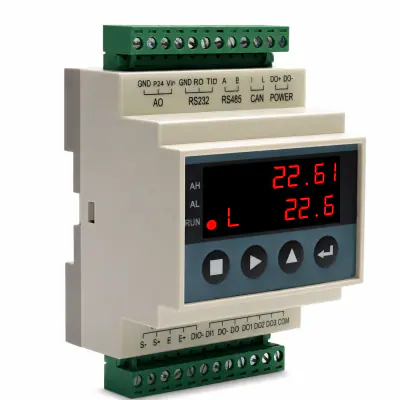 View product details
Rail Weighing Transmitter for Load Cell Signal Processing and PLC Automation Control.
 View product details
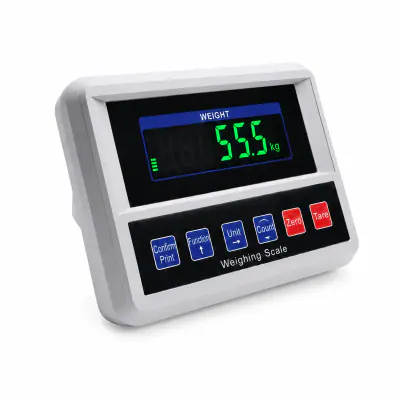
Digital weighing indicator for platform, floor, bench, pallet, hopper and tank weighing routes; functions and load-cell compatibility are confirmed by model.
 View product details
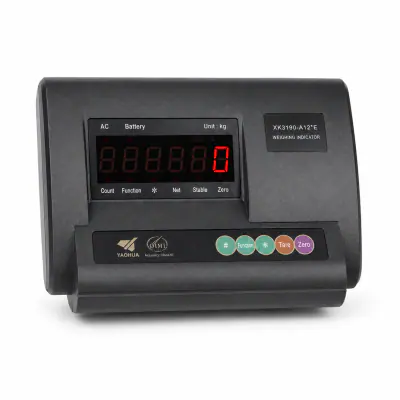
Digital weighing indicator route with listed RS232, USB or wireless communication options for industrial scale integration.
![Single and Double Hopper Weighing Indicator Controller, Digital Weight Indicator BST106-B66[A/D]](/assets/products/catalog-20260824/fm-rp-011/fm-rp-011-01-card-400.webp) View product details
View product details
BST106-B66[A/D] is presented as a single- or double-hopper ration-packing controller. The reviewed listing records DC24V power, a W110*H62*D150mm outline, a W94*H47mm panel cut-out and an operating range of -25℃ to +40℃ for panel and sequence comparison.
![FMSCales VFD Digital Display Weight Indicator Controller for Ration Packing Bag Weigh BST106-H16[A/D]](/assets/products/catalog-20260824/fm-rp-014/fm-rp-014-01-card-400.webp) View product details
View product details
BST106-H16[A/D] provides a VFD display route for ration-packing control. The listed AC220V supply, W164*H82*D188mm outline, W153*H77mm panel cut-out and 0.02% verification-accuracy field are the current comparison points for this configuration.
![FMSCales Packing Scale Indicator Industrial Weighing Single Hopper Bagging Controller BST106-M10[AL]](/assets/products/catalog-20260824/fm-ttr-004/fm-ttr-004-01-card-400.webp) View product details
View product details
BST106-M10[AL] is a single-hopper bagging controller with a reviewed DC24V supply, a listed maximum connection of 16 load cells at 350Ω, 9 digital inputs and 18 digital outputs. Use those fields to review cabinet power, sensor count and I/O mapping.
 View product details
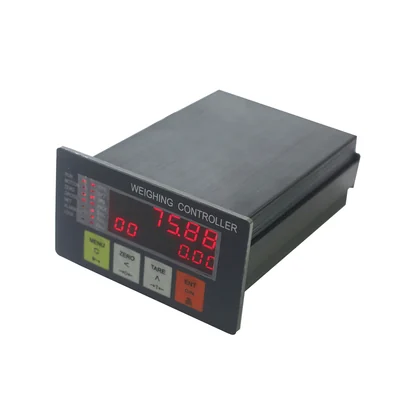
This batching-scale controller is presented for concrete mixing or another defined production sequence. The reviewed listing records DC24V power, a five-digit red LED display, a batching-scale application and an RS232 COM1 interface.
![Digital Load Cell Controller with 0-20mA, Weighing Force Indicator Instrument BST106-B60S[L]](/assets/products/catalog-20260825/fm-mw-002/fm-mw-002-01-card-400.webp) View product details
View product details
BST106-B60S[L] is represented here as a panel-mount force-measurement and load-cell controller. The reviewed cluster records 0-20mA analogue output, RS232 and RS485 communication, two relay outputs, an IP65 front panel and support for up to eight load cells; confirm the exact enclosure and output scaling before quotation.
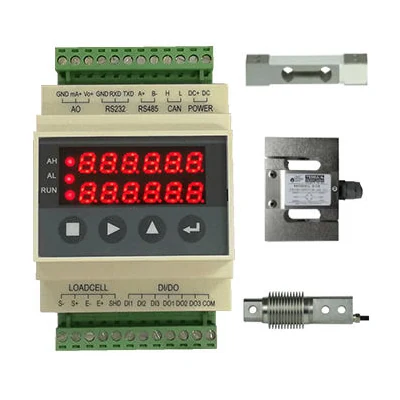 View product details
M60S is a DIN-rail load-cell controller route rather than another panel indicator. The captured selection fields list DC24V power, three digital inputs, three digital outputs, one analogue output, one voltage output, RS232 and optional RS485; confirm signal ranges and terminal functions for the exact version.
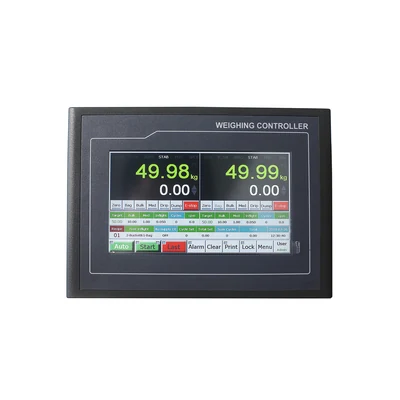 View product details
Reviewed labels identify this entity as BST106-M10[BH] for a two-scale packing workflow. The captured controller fields include up to sixteen 350-ohm load cells, nine digital inputs, eighteen digital outputs, RS232 and RS485; confirm the hopper arrangement and complete I/O sequence before quotation.
Product names overlap across suppliers. Choose by the responsibility the instrument will have in the complete weighing system.
| Instrument route | Best suited to | Information to confirm |
|---|---|---|
| Weighing indicator | Local weight display, operator functions and optional printing or communication. | Load-cell input, scale functions, display, keys, printer, communication, enclosure and legal-use scope. |
| Weighing transmitter | Converting a load-cell measurement into a signal or data value used by a PLC or another controller. | Input and excitation, output range, protocol, update behaviour, status values, isolation and cabinet installation. |
| Weighing controller | Running a defined packing, filling, dosing, batching or force-control sequence. | Process sequence, I/O count, normal and fail states, setpoints, interlocks, recipe or record fields and commissioning ownership. |
| Weighing module | Embedding weight acquisition inside a machine, control panel or larger instrument architecture. | Mechanical and electrical integration, host processor, software responsibility, calibration access and service replacement route. |
Describe the operator decision, process sequence and destination of the weight value first. The enquiry can be routed to a display, transmitter or controller instead of comparing unlike products.
Record sensor type, quantity, bridge resistance, excitation, signal range, power and installation environment. Electrical compatibility is reviewed before the panel, wiring or replacement plan is committed.
Confirm physical interface, protocol role, register or message map, data type, scaling, units, status and failure handling. The integrator can test the real data contract rather than discover missing details during commissioning.
Plan end-to-end acceptance for weight input, display, setpoints, outputs, communications, print or stored records and fault states. Handover reflects the installed workflow, not a single isolated reading.
A clear input-and-workflow list lets us compare the relevant indicator options without guessing from a broad product name.
State whether the project needs display, transmission, control or an embedded weighing function.
Record the load cells, power, mounting, I/O, outputs, communication and operator requirements.
Shortlist models by verified fields and request the current document set for the exact proposed version.
Agree who wires, programs, calibrates, integrates, validates and retains the approved configuration.
Verify weight, functions, I/O, data, records, restart and fault behaviour under the agreed acceptance plan.
One product family supports several system roles; the exact indicator or controller must still be selected from the application and interfaces.
Define the connected load cells, local weighing functions, operator display, printer or data output and the complete-scale verification route.
Review the applicationReview sensor quantity, summing, zero and range, mechanical movement, analogue or digital output and the receiving control system.
Review the applicationMap feeder, gate, clamp, bag detection, fill stages, tolerance, discharge, alarm and record logic before choosing a packing controller.
Review the applicationDefine recipes, ingredients, sequence, interlocks, setpoints, material totals, PLC ownership and safe recovery from an interrupted batch.
Review the applicationSpecify weight fields, stability and validity status, identifiers, units, timestamps, protocol, retry, duplicate and offline behaviour.
Review the applicationThe collection page does not promise a universal accuracy or approval. Performance and conformity belong to the exact indicator, connected scale, settings, procedure and destination requirements.
FMSCales can coordinate indicator and controller options, model-document requests, configuration questions and quotation scope with weighing distributors, scale builders and automation partners. Keeping the sensor, I/O and interface requirements with the selected model gives later service and repeat orders a clear technical reference.
Our production environment supports fabrication, assembly and project preparation for selected industrial weighing equipment and system configurations.

Model-specific inspection, functional checks and calibration preparation help align the selected equipment, documentation and project requirements before delivery.
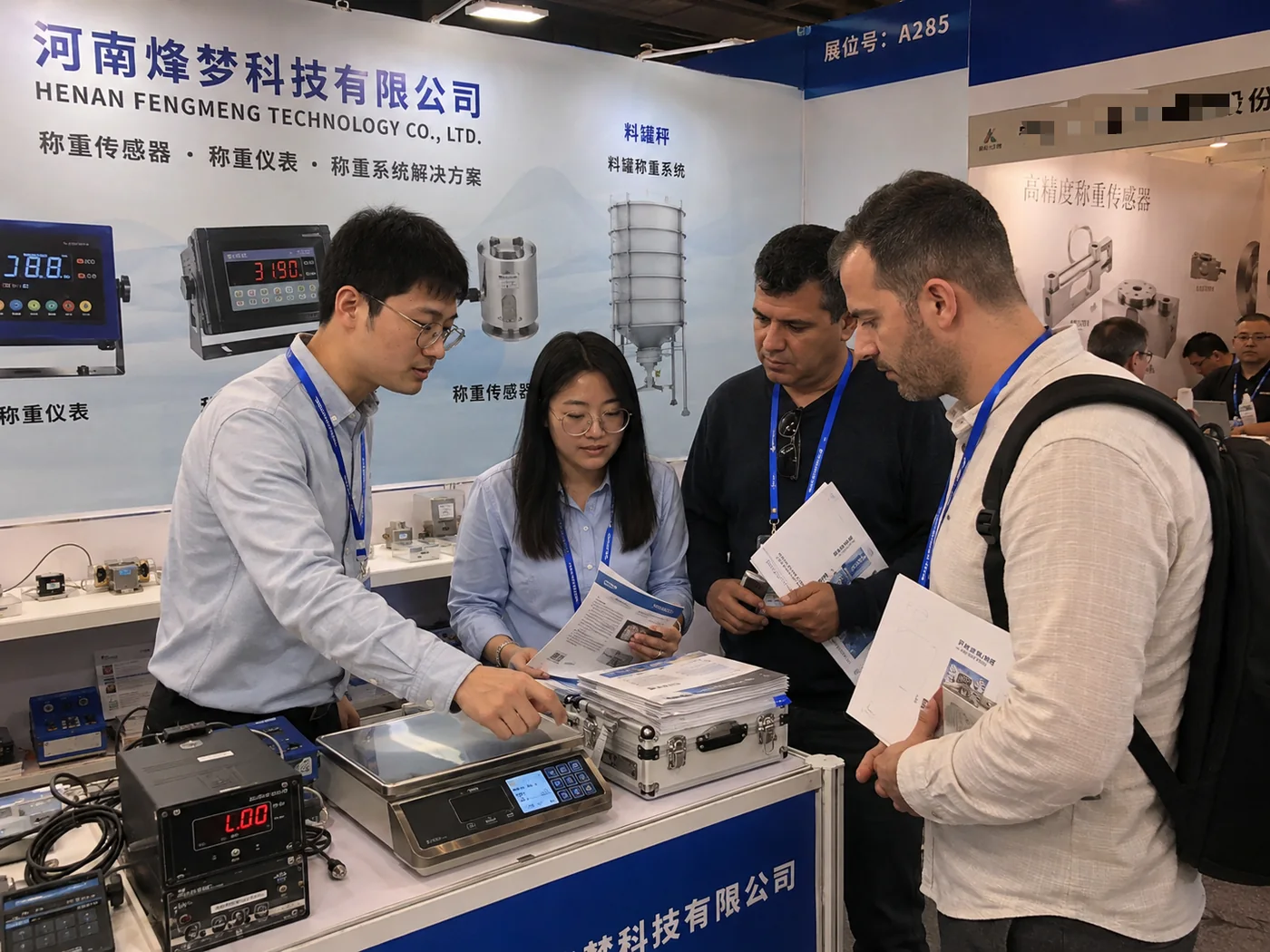
Industry events provide a practical setting for product demonstrations and application discussions with weighing professionals, distributors and project teams.
Request the current revision for the exact model and option set before panel design, wiring, programming or regulated-use review.
Rail Weighing Transmitter for Load Cell Signal Processing and PLC Automation Control.
Digital weighing indicator for platform, floor, bench, pallet, hopper and tank weighing routes; functions and load-cell compatibility are confirmed by model.
Digital weighing indicator route with listed RS232, USB or wireless communication options for industrial scale integration.
BST106-B66[A/D] is presented as a single- or double-hopper ration-packing controller. The reviewed listing records DC24V power, a W110*H62*D150mm outline, a W94*H47mm panel cut-out and an operating range of -25℃ to +40℃ for panel and sequence comparison.
BST106-H16[A/D] provides a VFD display route for ration-packing control. The listed AC220V supply, W164*H82*D188mm outline, W153*H77mm panel cut-out and 0.02% verification-accuracy field are the current comparison points for this configuration.
BST106-M10[AL] is a single-hopper bagging controller with a reviewed DC24V supply, a listed maximum connection of 16 load cells at 350Ω, 9 digital inputs and 18 digital outputs. Use those fields to review cabinet power, sensor count and I/O mapping.
Selection and application guides
Selection and application guides
Selection and application guides
Selection and application guides
Channel partners can use one signal-and-workflow checklist to qualify indicator enquiries, separate simple display needs from control projects and request the correct documents before promising integration. The confirmed model and option set can then be retained for repeat supply or service discussions.
An indicator normally provides a local weight display and operator functions. A transmitter is usually installed to convert the load-cell measurement into an industrial signal or data value for another controller. Confirm the exact product role because supplier names vary.
Provide the load-cell model, quantity, rated output, sensitivity, bridge resistance, excitation, wiring, total capacity, division and cable arrangement. The electrical input and complete-scale design must be reviewed together.
No. RS485 describes an electrical interface, while Modbus is one possible protocol. Confirm the device role, settings, register map, data type, byte order, scaling, units, status bits and firmware for the exact version.
Choose a controller when weight must drive a defined sequence such as filling, bagging, dosing or batching. Provide the complete process, I/O, setpoints, interlocks, fail states and record requirements before selection.
No. Load-cell input, capacity, divisions, functions, environment, power, mounting, approval and calibration requirements differ. Confirm the complete scale and intended use before replacement or new supply.
Send the indicator or controller model, required values and status fields, interface and protocol, PLC role, register or message requirements, update rate, error handling, I/O list and acceptance test cases.
Send the scale and sensor details, instrument role, power, mounting, functions, I/O, communication, environment, intended use, requested documents, quantity, destination and target schedule.
Include scale type and capacity, load cells, power and mounting, display functions, I/O, analogue outputs, communication, host system, quantity and destination.
Share the current scale or machine details so the first response can compare the relevant display, transmitter or controller options.
Send your core application details. We will review the request and follow up by email or Tel / WhatsApp.